

How to search e-books?
Go to https://lis.nsysu.edu.tw/
1、Search by Library Cloud Service Platform
|
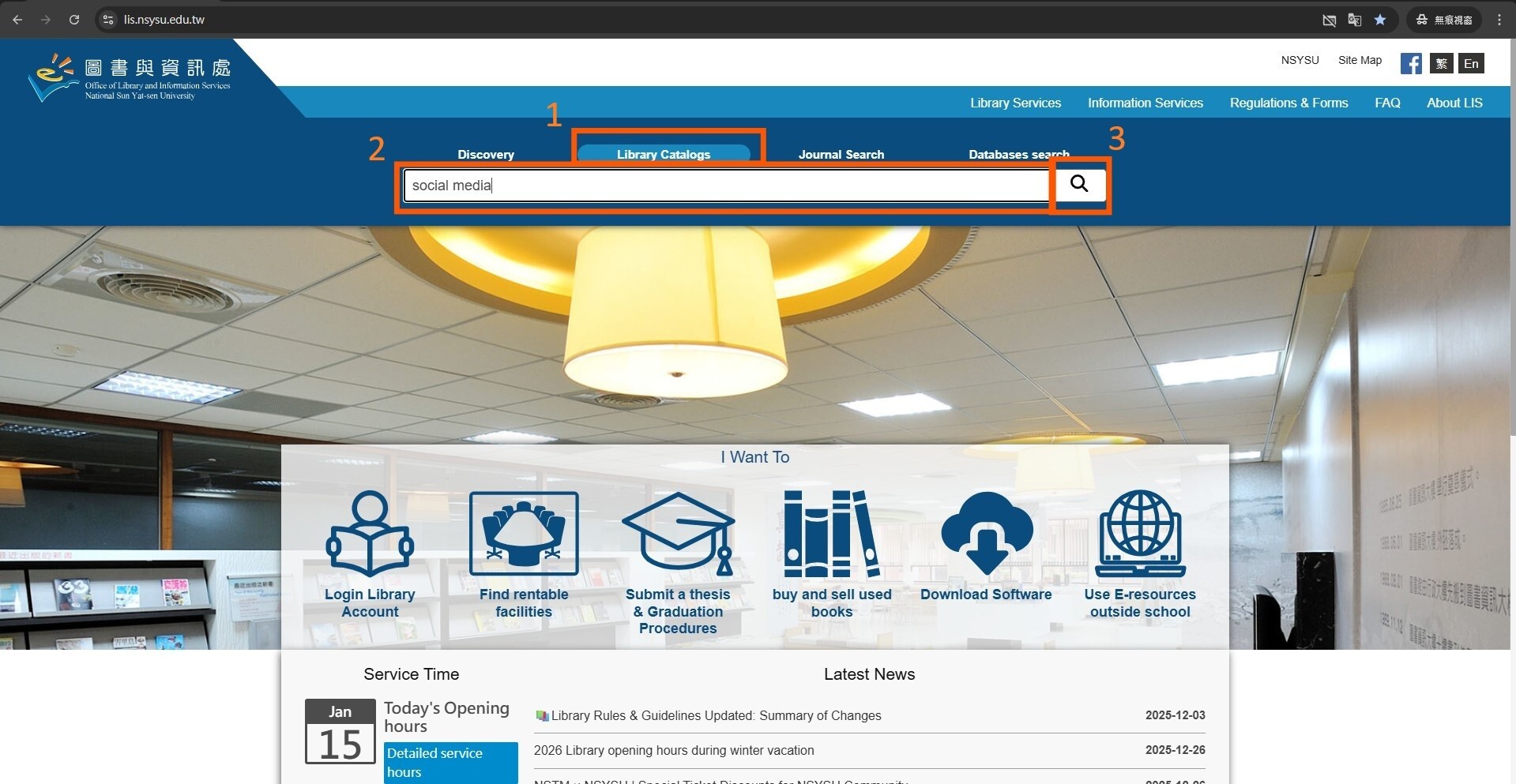
(1) Click on Library Catalogs (2) Enter keyword/ title... (3) Click on search |
 |
|
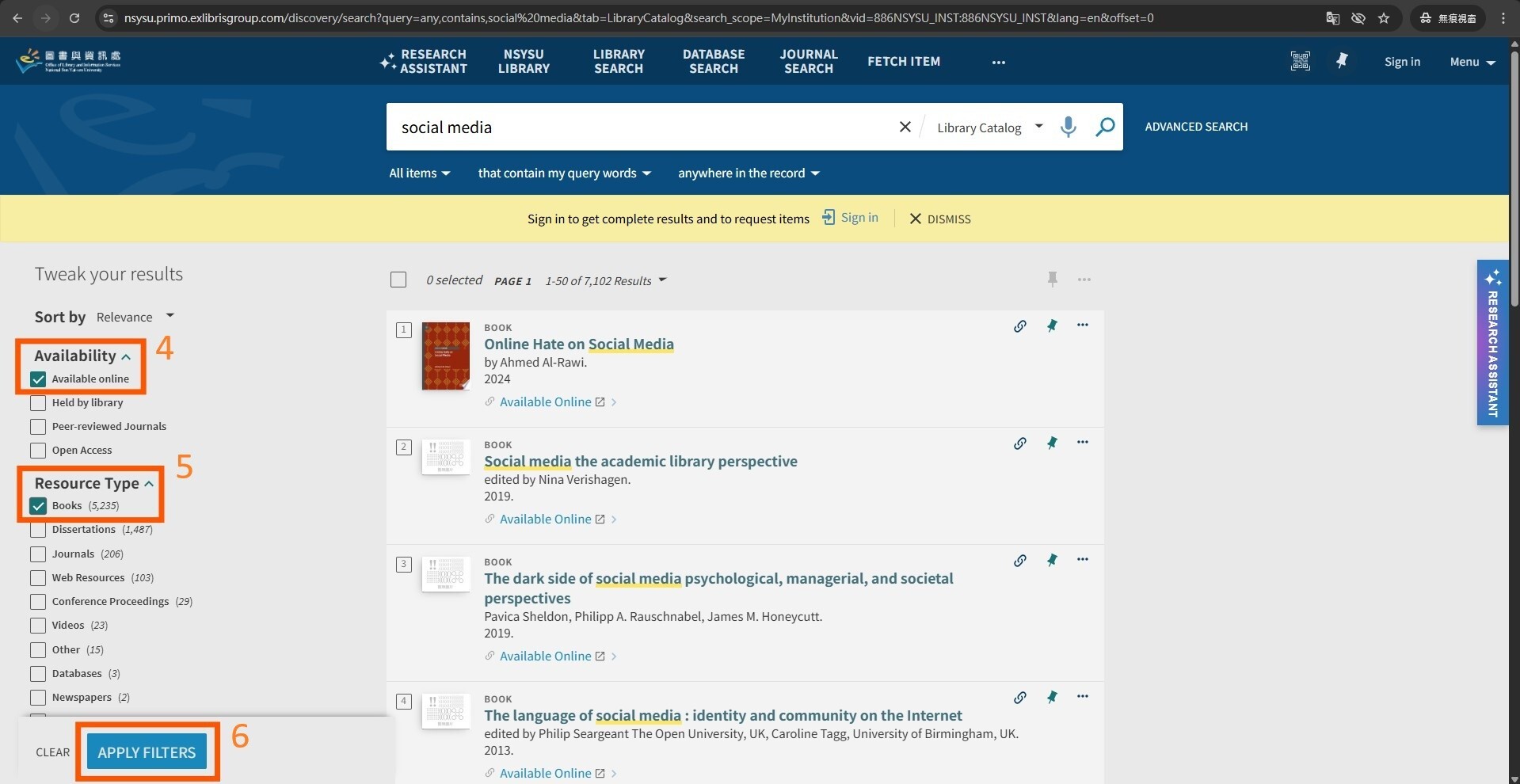
(4) Select「Available online」 (5) Select「Books」 (6) Click on「APPLY FILTERS」and find e-books realated to the keyword/title |
 |
|
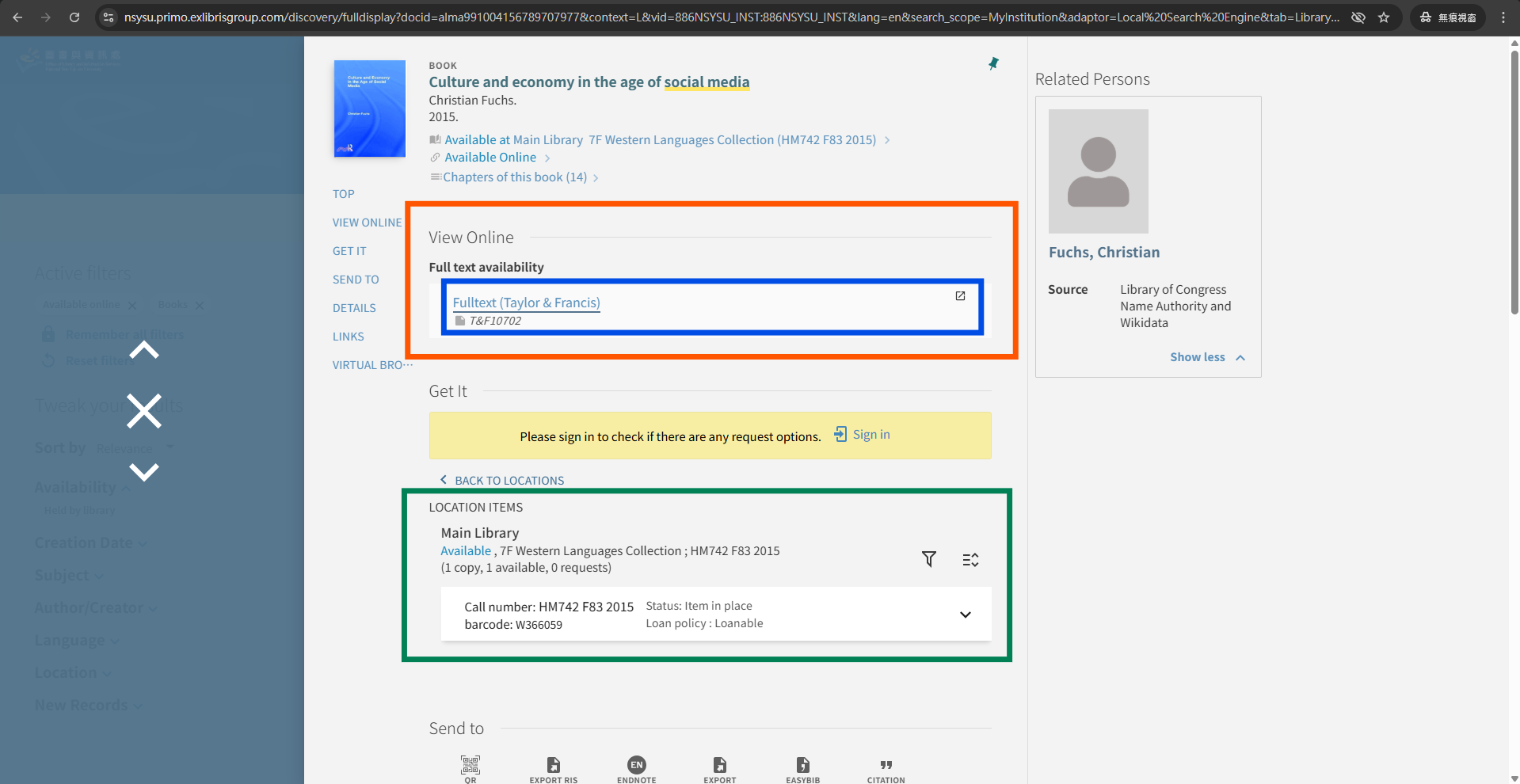
For example, there are both e-book version and book version for book "Culture and economy in the age of social media." Click on link (Fulltext (Taylor & Francis)) and access the e-book version. Book version can be found on the 7th floor of the library. |
 |
2、Search by LIS Database website
|
(1) Click on Databases search (2) Click on Search and enter the LIS database website |
 |
|
(3) Click on Data Type (4) Click on E-Books and find ebook databases |
 |
Click Num: